
A flat white tips over a keyboard, a water bottle leaks inside a backpack, or a child knocks a glass off the kitchen bench. Liquid on a MacBook is one of the most stressful repair calls we get, and what you do in the first ten minutes matters more than almost anything we do afterwards.
This guide is written for Penrith, St Marys, Kingswood and Blue Mountains readers, and it ends with how our in-house board-level repair works at Shop 7, Lennox Village, Cnr Great Western Highway & 1 Pyramid St, Emu Plains NSW 2750.
The first 10 minutes
- Shut it down now. If the screen is still on, hold the power button until it switches off. Do not wait to save a document. Power flowing through a wet board is what turns a spill into corrosion and shorted components.
- Unplug everything. Remove the charger, USB-C hubs, drives and any cables. Do not plug the charger in to see if it still works.
- Wipe the outside only. Use a dry, lint-free cloth on the keyboard and case. Do not push liquid further in with a wet cloth or compressed air.
- Tent it, keys down. Open the MacBook like a tent on a towel so liquid can drain away from the board instead of settling into it.
- Leave it off. Do not press the power button to test it, even after an hour. A MacBook that seems fine can still have liquid sitting under a chip.
What not to do
- Do not use rice. Rice does not draw out liquid or residue, and the dust can end up in the ports.
- Do not use a hairdryer or heater. Heat can push moisture deeper, and it does nothing about the sugar, milk or minerals left behind.
- Do not keep opening and closing the lid or shaking the machine.
- Do not wait a few days to see. Corrosion keeps spreading under chips and connectors, so a clean job on day one can turn into a harder job on day five.
Why the drink matters
Plain water is the kindest liquid, though it still shorts a powered board. Coffee, tea, soft drink and juice leave sugar and acid that attract moisture and eat at the board. Milk spoils. Salt water, such as a beach bag, is the hardest to recover. Tell us what the liquid was when you bring it in, because it changes how we clean the board.
What happens at our bench
Every MacBook gets a bench inspection first. We open the machine, check for liquid and corrosion under magnification, and tell you what we found before any repair work starts. Your $49 bench diagnostic is credited toward the repair if you go ahead, and if we cannot fix it, you pay nothing under our No Fix, No Fee guarantee.
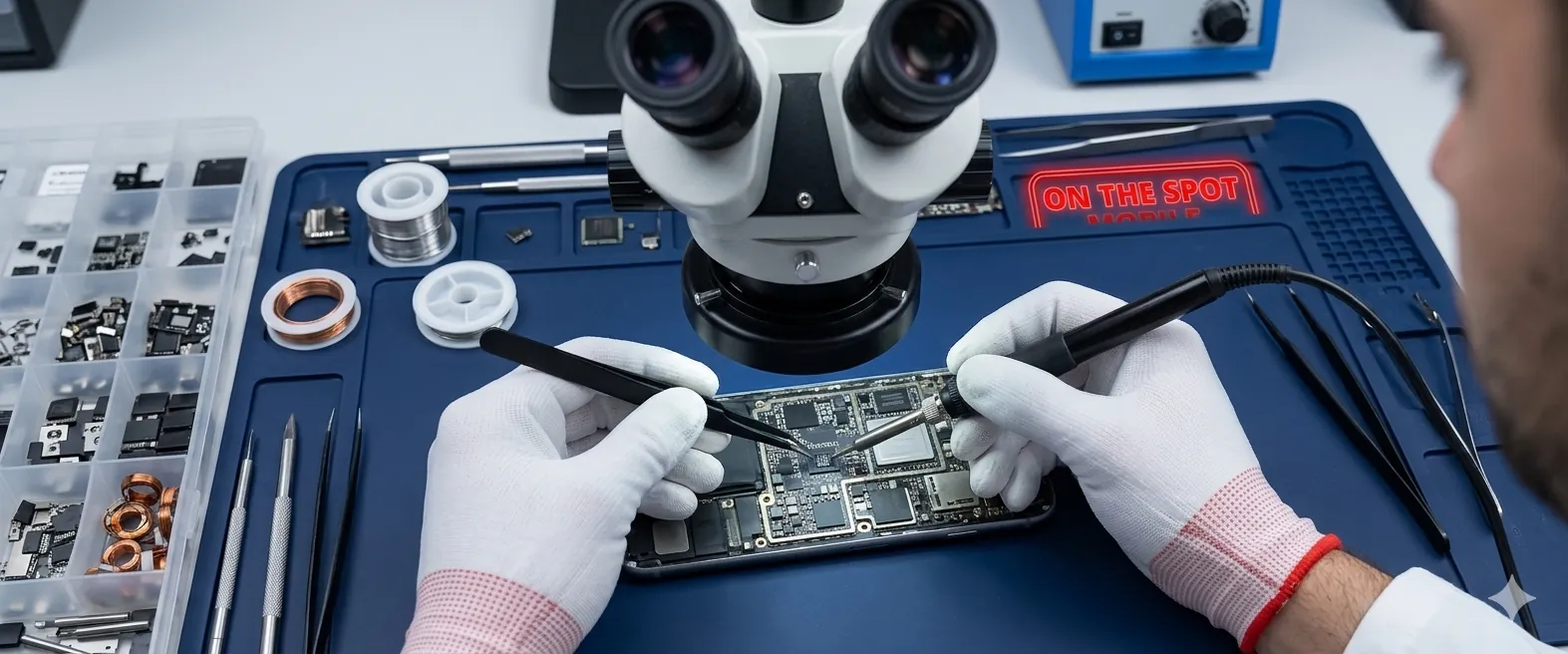
If the board is affected, it is cleaned in an ultrasonic bath and checked for corroded parts. Failed components are replaced by in-house microsoldering under the microscope. The laptop is not posted away to a third party. Our MacBook logic board repair page lists the water damage repair at $149, with a 12-month warranty on parts and labour.
A spill often takes the keyboard, trackpad or display with it. We can quote a MacBook screen replacement at the same visit if the display is damaged, and you can see our wider MacBook repairs range. If the machine will not start for another reason, our guide on a MacBook that will not turn on covers the other common causes.
What about my files?
If your MacBook was backed up to iCloud or Time Machine, your files are safe whatever happens to the machine. If not, tell us when you book. On many modern MacBooks the storage is part of the board, so recovering your files means getting the board working, which is another reason not to keep powering it on. We will explain the options before spending any of your money.
Getting it to us
From Penrith, Shop 7 is about 4 to 5 minutes across Victoria Bridge or the M4. Kingswood and St Marys are an easy run along the M4. There is free street-level parking right outside Shop 7, so you can walk straight in.
Cannot drive in? Sydney, Greater Sydney and Blue Mountains customers, and anyone across Australia, can use express mail-in repairs. You post the MacBook to our Emu Plains workshop, pack it in a padded box with the charger left out, and return tracked Express postage is added to the completed repair invoice. You can follow progress at track my repair.
We are open Monday to Wednesday and Friday 9:00 AM to 5:30 PM, Thursday until 7:00 PM, Saturday 9:00 AM to 5:00 PM and Sunday 9:00 AM to 4:00 PM. Call 0420 739 151, or book your MacBook repair online and pay $0 upfront.
Frequently asked questions
- What should I do first if I spill water or coffee on my MacBook?
- Shut it down straight away, unplug the charger and all accessories, wipe the outside with a dry cloth, and leave it off. Do not turn it on to test it. Bring it in as soon as you can, because corrosion spreads over the following days.
- Does putting a wet MacBook in rice help?
- No. Rice does not remove liquid or the sugar and minerals it leaves behind, and it can put dust into the ports. A professional ultrasonic clean of the board is the fix.
- How much does MacBook water damage repair cost in Emu Plains?
- Water damage repair is listed at $149 on our MacBook logic board repair page, with a 12-month warranty on parts and labour. The $49 bench diagnostic is credited toward the repair, and No Fix, No Fee applies.
- Can you repair a liquid-damaged MacBook if I live in Sydney or the Blue Mountains?
- Yes. You can drive to Shop 7, Lennox Village, Emu Plains, or use our express mail-in service. You post the MacBook to our Emu Plains workshop, and return tracked Express postage is added to the completed repair invoice.
- Is there free parking at the Emu Plains workshop?
- Yes. There is free street-level parking right outside Shop 7, Lennox Village, Cnr Great Western Highway & 1 Pyramid St, Emu Plains NSW 2750.